
Last checked:
dBdone vs Deckable
Both are one-time purchases for Mac and Windows. Here is how they differ in preview, planning, design and support for your DAW.
Short answer
dBdone is built to hear, plan and finish songs: it turns your bounces and audio files into previews automatically, records the latest part with a free plugin, and adds tasks on the waveform, a task board, levels and trophies and included cover images. Deckable costs less ($29.99 once vs $119) and adds a sample browser and a plugin scanner. Both run offline on macOS and Windows and include lifetime updates. Pick Deckable for the lowest price and sample management, pick dBdone if you want to finish more songs in the DAW you use.
dBdone
Why producers pick dBdone
Hear every project
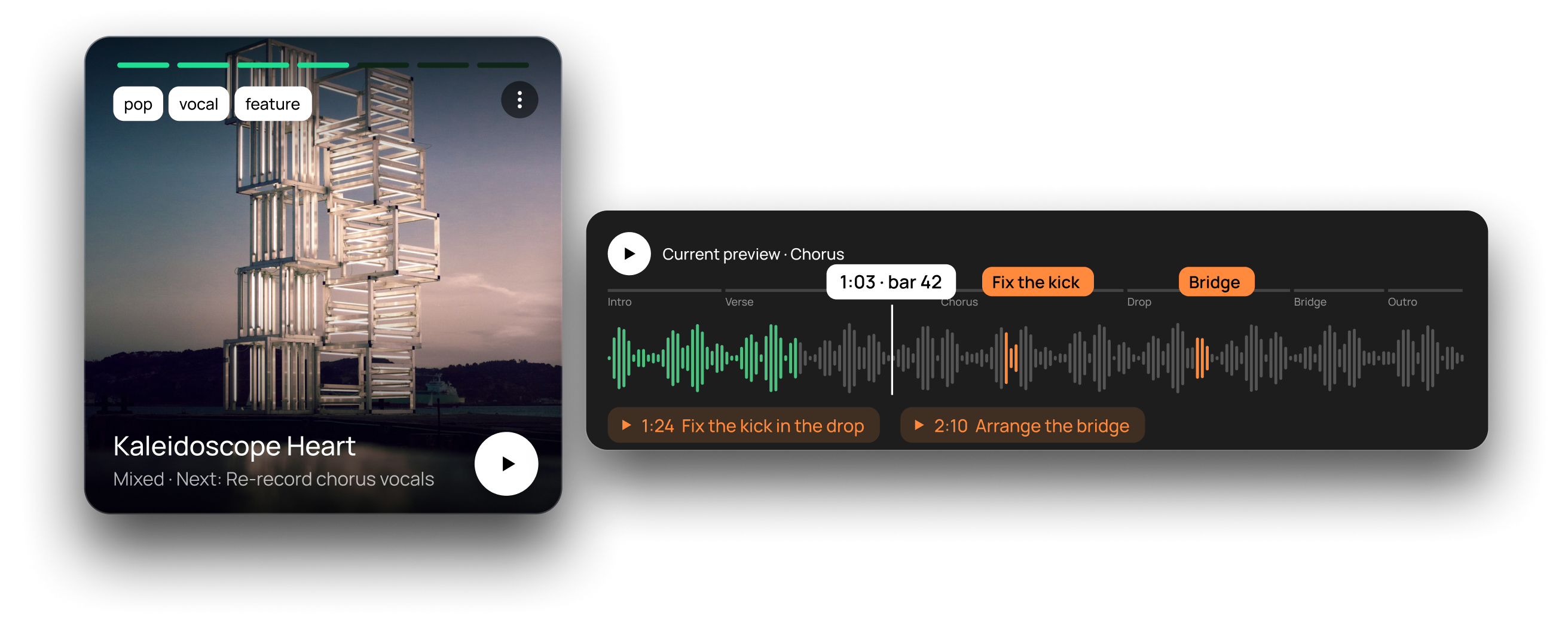
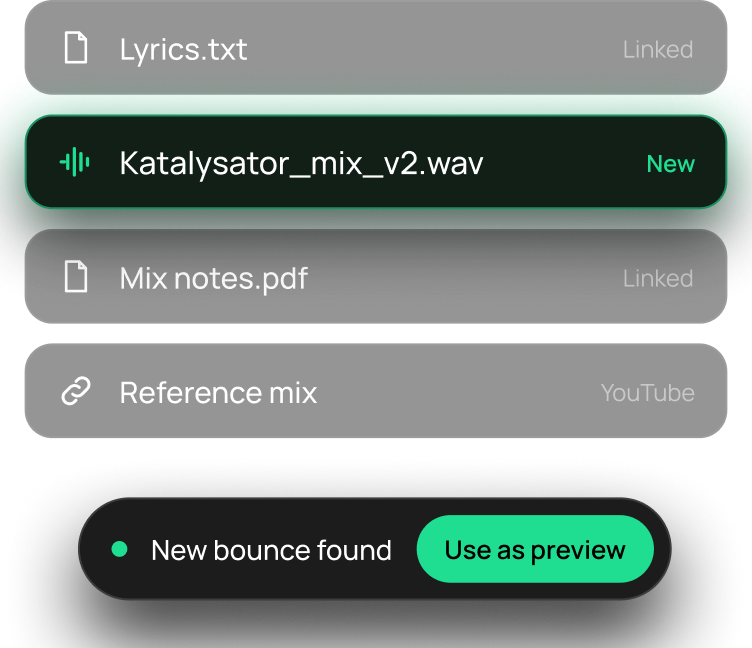
dBdone finds the bounces and audio files in your project folders and sets them as previews right away. The free plugin then records the latest part, so you never have to bounce again.
Plan every song
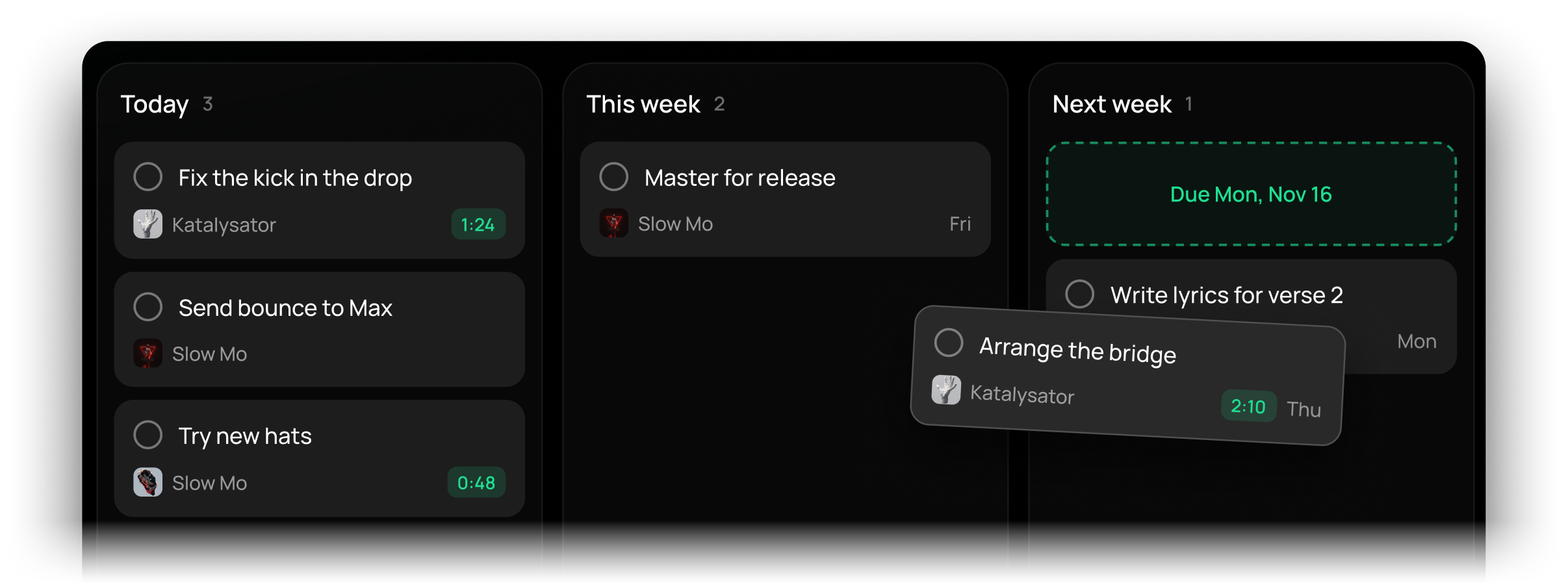
Custom phases from idea to release. Tasks and comments sit on the waveform at the exact spot, land in the app straight from the plugin in your DAW, and show up in a list or on a board for today, this week and next week.
Made to look good
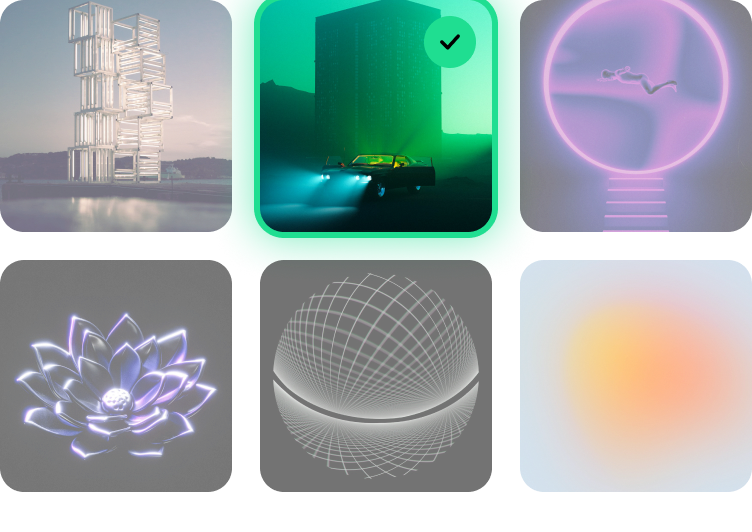
Your library looks like a record shelf, not a folder: cover images come with the app, and every screen is designed to make you want to open your projects.
Stay motivated
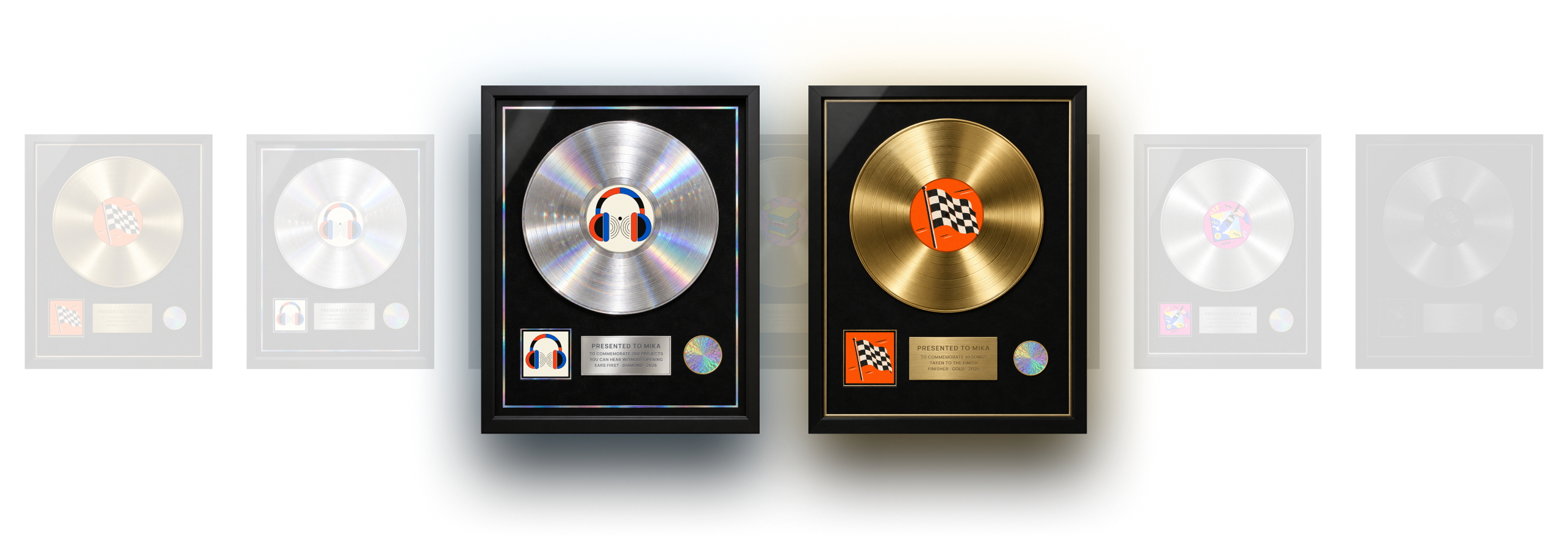
Move a song forward, earn XP. Level up, collect trophies and see the days you made music in your activity calendar.
Key facts
dBdone and Deckable side by side
 dBdone
- Preview
- Bounces and audio files become previews automatically, plus the free plugin
- Tasks
- With due dates, on the waveform and on a board
- Platforms
- macOS, Windows
- Made by
- Founded by Mika (@mikanovo) and Wolfgang S., creator of Kontakt and Battery at Native Instruments. Based in Munich, Germany
- Updates
- Lifetime, included
- Trial
- 14 days, full version without limits, no account or card
- Money back
- 30 days
- Price
- $119 one-time
- Offline
- Yes
Works with
 Ableton Live
 FL Studio
 Logic Pro
 Pro Tools
 Cubase
 Studio One
 Bitwig Studio
 Reaper
 Nuendo
 Maschine
Deckable
- Preview
- Plays bounces found in the project folder
- Tasks
- Checklists, no due dates listed
- Platforms
- macOS 10.15+, Windows 10+
- Made by
- Founder Matt, music producer and developer; company and location not stated
- Updates
- Lifetime, included
- Trial
- 14 days, no card
- Money back
- 14 days
- Price
- $29.99 one-time
- Offline
- Yes
Works with
- Ableton Live
- Logic Pro
- FL Studio
- REAPER
- Bitwig Studio
- DAWproject
- Pro Tools (file tracking only)
- Cubase (file tracking only)
Good to know
- Pro Tools and Cubase: file tracking only (no BPM, key or plugins)
- Preview plays bounces you exported
- Checklists without due dates
- 2 computers per license, 14-day refund
The difference
Where dBdone goes further than Deckable
A fresh preview without bouncing
Deckable plays the bounces you exported. dBdone sets your bounces and audio files as previews too, and the free plugin records the latest part of your session, so the preview stays current without a new export.
Tasks where the music is
Deckable offers checklists. dBdone puts tasks with due dates on the waveform at the exact spot, takes them straight from the plugin in your DAW and shows them in a list or on a board for today, this week and next week.
Full support for Pro Tools and Cubase
dBdone works with Ableton Live, FL Studio, Logic Pro, Pro Tools, Cubase, Studio One, Bitwig Studio, Reaper, Nuendo and Maschine. Deckable tracks Pro Tools and Cubase as files only and does not list Studio One, Nuendo or Maschine.
Designed to make you want to open it
Cover images come with the app, every project gets a look, and the whole UI is designed to make you want to open your projects. dBdone was co-founded by Wolfgang S., creator of Kontakt and Battery at Native Instruments.
Levels and trophies, not just a streak
Moving a song forward earns XP. Level up, collect trophies and keep an eye on your activity calendar.
Feature by feature
dBdone vs Deckable: feature comparison
Every value comes from the public websites, with sources linked below the table.
| Feature | dBdone | Deckable |
|---|---|---|
| Preview | ||
| How you hear a project without opening it | Bounces and audio files become previews automatically, plus the free plugin | Plays bounces found in the project folder2 |
| Preview without installing a plugin | Yes | Yes2 |
| Preview of the latest version without bouncing | Yes | Not listed2 |
| Comments and tasks on the waveform | Yes | Not listed2 |
| Workflow | ||
| Project phases or status | Custom phases from idea to release | Kanban with 6 custom stages2 |
| Tasks with due dates | With due dates, on the waveform and on a board | Checklists, no due dates listed2 |
| Task list and board view (today, this week, next week) | Yes | Not listed2 |
| Add tasks from inside your DAW | Via the free plugin | Not listed2 |
| Today screen with next steps | Yes | Not listed2 |
| Library & files | ||
| Finds DAW projects in your folders automatically | Yes | Yes2 |
| Opens a project in its DAW with one click | Yes | Yes2 |
| Tags and filters | Yes | Yes2 |
| Collections (albums, EPs) | Release stacks | Decks2 |
| Groups versions of one project | Yes | Yes2 |
| Notes per project | Yes | Yes2 |
| Files per project (bounces, PDFs, lyrics, mix notes) | Yes | Linked samples, bounces and plugins2 |
| Releases & credits | ||
| Release planning | Release stacks with checklist | Not listed2 |
| Credits and splits | Yes | Not listed2 |
| Motivation & insights | ||
| Levels, XP and trophies | Yes | Daily streak2 |
| Activity calendar and stats | Yes | Stats and activity heatmap2 |
| Brings forgotten ideas back | Yes | Dust Off widget2 |
| Design & extras | ||
| Cover images included | Yes | Not listed2 |
| Project name generator | Yes | Not listed2 |
| Sample browser | No | Yes2 |
| Shows the plugins used in a project | Ableton Live projects | Ableton Live, Logic Pro, FL Studio, REAPER3 |
| Plugin scanner (installed plugins) | No | Yes2 |
| Platform & DAWs | ||
| Desktop platforms | macOS, Windows | macOS 10.15+, Windows 10+4 |
| Mobile app | No | Not listed1 |
| Supported DAWs | 10: Ableton Live, FL Studio, Logic Pro, Pro Tools, Cubase, Studio One, Bitwig Studio, Reaper, Nuendo, Maschine | 8: Ableton Live, Logic Pro, FL Studio, REAPER, Bitwig Studio, DAWproject; Pro Tools and Cubase file tracking only3 |
| Works offline | Yes | Yes2 |
| Company | ||
| Who builds it | Founded by Mika (@mikanovo) and Wolfgang S., creator of Kontakt and Battery at Native Instruments. Based in Munich, Germany | Founder Matt, music producer and developer; company and location not stated5 |
| Price & license | ||
| Price | $119 one-time | $29.99 one-time1 |
| Updates | Lifetime, included | Lifetime, included1 |
| Computers per license | 3 | 21 |
| Free trial | 14 days, full version without limits, no account or card | 14 days, no card1 |
| Money-back period | 30 days | 14 days1 |
| Free version | No | Not listed1 |
✓ = available · – = not listed on the Deckable website as of November 18, 2026 · Numbers link to the sources.
Sources (5)
- deckable.io/pricing: Price, lifetime updates, 2 machines, 14-day trial, 14-day refund
- deckable.io/features: Feature list: Kanban stages, checklists, sample browser, plugin scanner, bounce preview, stats, streaks, Dust Off, local SQLite
- deckable.io/for: Supported DAWs and what is read per DAW (Pro Tools and Cubase: file tracking only)
- deckable.io/download: macOS 10.15+ and Windows 10+, no account needed
- deckable.io/about: Built by its founder Matt, a music producer and developer; no company or location stated
dBdone values: pricing, FAQ, documentation.
Fair is fair
What Deckable does well
- Lower price: $29.99 one-time with lifetime updates.
- Kanban board of projects with six custom stages, priorities and ratings.
- Sample browser with waveforms and a plugin scanner with CSV export.
- Activity stats, a daily streak and a widget that surfaces forgotten projects.
Deckable
Choose Deckable if…
- You want the lowest one-time price.
- You need a sample browser or a plugin scanner in the same app.
- You prefer a Kanban board of all your projects.
- You always export bounces and only need to play them.
dBdone
Choose dBdone if…
- You want a current preview without bouncing every time.
- You plan songs with tasks on the waveform, due dates and a task board.
- You use Pro Tools, Cubase, Studio One, Nuendo or Maschine.
- You want your library to look good, with cover images included.
- You want levels and trophies that keep you finishing songs.
- You work on up to 3 computers and want 30 days money back.
Switching
Switching from Deckable
Install dBdone
Start the 14-day full version on Mac or Windows. No limits, no account, no credit card.
Point it at your folders
dBdone scans the folders you choose and finds your DAW projects on its own. There is nothing to migrate.
Your files stay as they are
Your project files stay where they are, and dBdone does not change them.
Your Deckable decks and tags stay in Deckable; dBdone builds its own library from your folders. You can keep both apps side by side during the trial.
We build with the community
Let’s build the best tool for producers. Together.
dBdone grows with the people who use it. You share ideas on Discord, the community votes, and we build them, one feature at a time.
- 2022–24First of its kindThe first project manager made for music producers. 1,000+ producers fell in love.
- June 2024Public betaFeedback from Discord shapes every build.
- Jan 2025dBdone launchesVersion 1.0 for Mac and Windows.
- 2026The big updateToday, Tasks, Progress and a new look. Version 1.5.
- NextComing upA mobile companion app, audio analysis and what you vote for.
Join us on Discord
Share your ideas, vote on the roadmap and help shape the next update.
FAQ
dBdone vs Deckable
Is Deckable cheaper than dBdone?
Yes. Deckable costs $29.99 once and dBdone costs $119 once. Both include lifetime updates, according to their websites in November 2026. dBdone adds tasks on the waveform, a task board, levels and trophies, included cover images and full support for Pro Tools and Cubase.
Which DAWs do dBdone and Deckable support?
dBdone supports Ableton Live, FL Studio, Logic Pro, Pro Tools, Cubase, Studio One, Bitwig Studio, Reaper, Nuendo and Maschine. Deckable lists Ableton Live, Logic Pro, FL Studio, REAPER, Bitwig Studio and DAWproject, plus Pro Tools and Cubase as file tracking only.
Do I need a plugin to preview projects?
No. dBdone finds the bounces and audio files in your project folders and sets them as previews. The free plugin is optional and records the latest part of your session, so you do not have to bounce again. Deckable plays bounces it finds in your project folders.
Do both apps work offline?
Yes. Both are desktop apps for macOS and Windows that keep your data on your computer and work offline.
Can I try both for free?
Yes. dBdone gives you the full version for 14 days without limits, without an account or credit card. Deckable offers a 14-day trial without a credit card.
Try the full version free for 14 days
No limits, no account, no credit card. Point dBdone at your project folders and hear your whole library in minutes.
14-day full version · Mac & Windows · 30-day money back · 3 devices
Compare all DAW project managersThe best Ableton project manager in 2026
Information based on the public websites of dBdone and Deckable as of November 18, 2026. Prices in USD. Product names and trademarks belong to their respective owners; no affiliation is implied. Something wrong? Tell us.